
KEYWORD01
Start with a keyword
Add a keyword and your link. Writopin drafts the copy, picks templates and can add a photo, up to 6 Pins at a time.
Make Pinterest Pins with AI, from an article, or from scratch. Turn blog posts into editable drafts, approve the ones you like, then schedule or publish them to your own Pinterest account.
Four ways to make a Pin
A keyword, an article, your blog or a blank canvas. Every route ends in the same editable Pin.
From your blog
Bring in a post, compare the designs and schedule the ones you like.
Paste a public URL, or choose posts from a connected blog.
Get several editable designs from the headline and images, and keep the ones you like.
Check the title, description and board, then schedule. Nothing posts until you confirm.
Templates
Pick a layout, then change its text, photos and colours. Free templates are included on every plan.
Scheduler
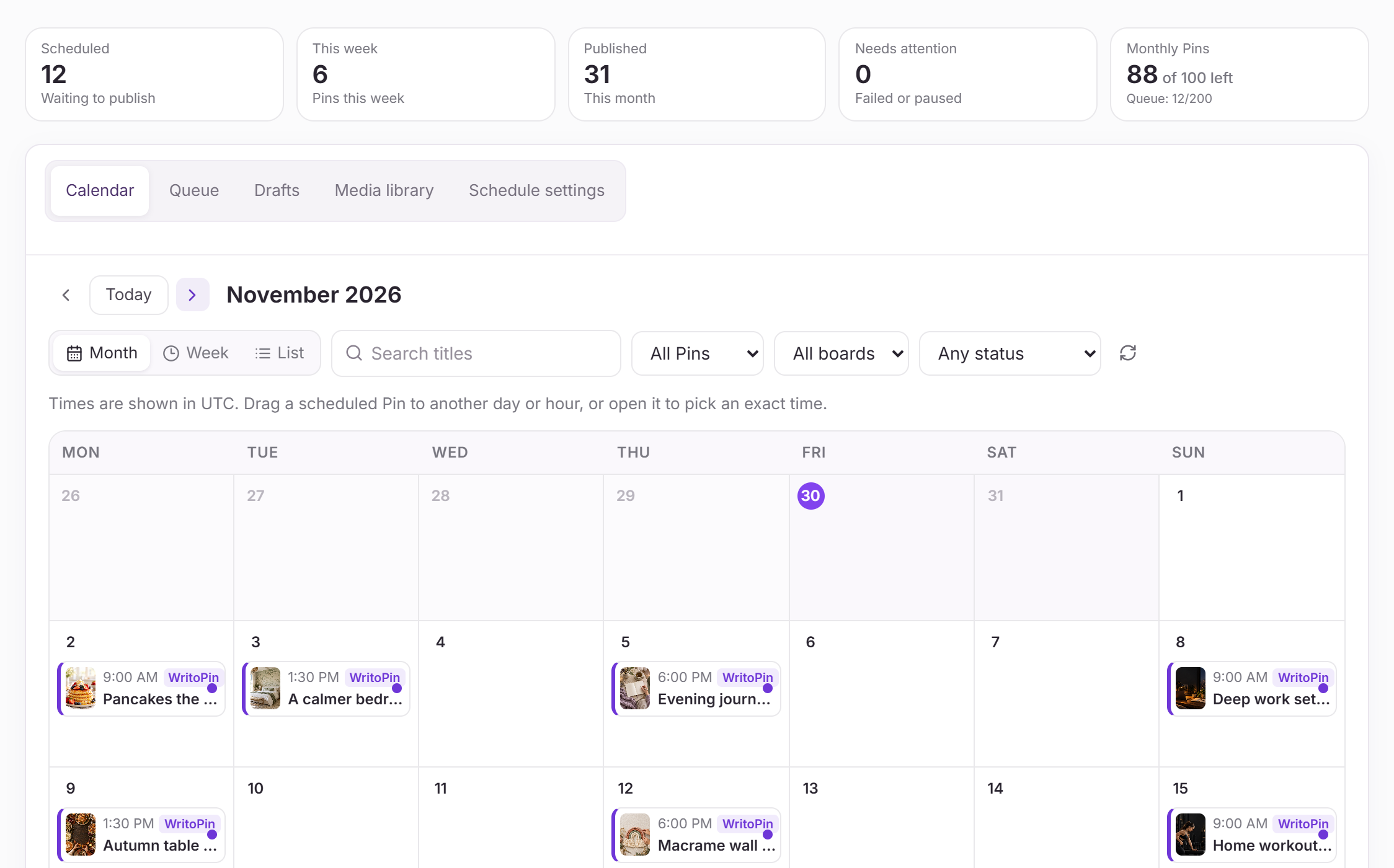
See every scheduled Pin on a calendar and move it with a drag.
All plans include the editor, review and publishing. Premium-template access, monthly and daily allowances, and workspace limits vary by plan.
$0
foreverTry the full Pin workflow with a small monthly allowance.
Included
$19
per month · $15 billed annuallyFor creators publishing fresh Pins every week.
Included
$39
per month · $31 billed annuallyFor bloggers and shops running several accounts.
Included
$99
per month · $83.25 billed annuallyFor teams managing Pinterest for many clients.
Included
Paid plans are billed securely by Stripe; card details never touch Writopin. Change or cancel any time from Settings → Billing.
Built around your review
Take a closer look at Writopin
Start with the free plan: no card needed. Upgrade when you need more credits or accounts.
Create your free account