
Create, automate and schedule Pinterest Pins from your blog.

Make Pinterest Pins with AI, from an article, or from scratch. Turn blog posts into editable drafts, approve the ones you like, then schedule or publish them to your own Pinterest account.

PIN EDITOR

Create a Pin that feels like your brand.

Start from a template or a blank canvas. Make the details yours in the Writopin editor.

Explore
Writopin workspace Design
Design savedYour next step is up to you
One workspace, from first thought to final review

From your blog

One blog post, several Pins ready to review

Bring in a post, compare the designs and schedule the ones you like.

  1. Bring in a post

    Paste a public URL, or choose posts from a connected blog.

  2. Compare the designs

    Get several editable designs from the headline and images, and keep the ones you like.

  3. Approve and schedule

    Check the title, description and board, then schedule. Nothing posts until you confirm.

Templates

Start from a layout that already works

Pick a layout, then change its text, photos and colours. Free templates are included on every plan.

Scheduler

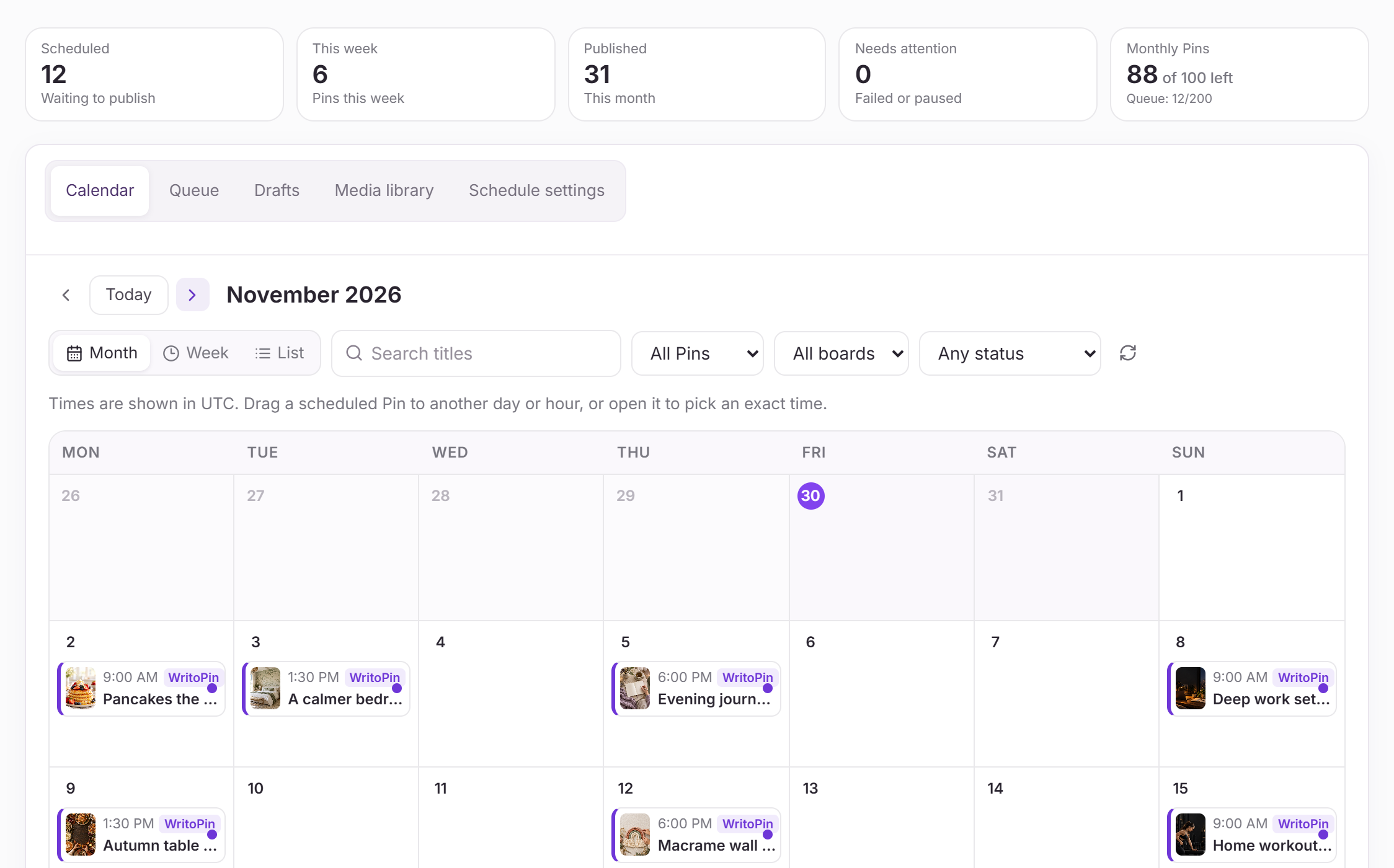
Plan your Pinterest calendar in one place

See every scheduled Pin on a calendar and move it with a drag.
  • Choose the Pinterest account and board for every Pin.
  • Schedule a batch with a gap between Pins, or set weekly posting times.
  • Add your own images or import a CSV to schedule those too.
  • Move, reschedule or cancel from the calendar and queue.
Pinterest scheduler
The Writopin Pin Scheduler showing a month calendar with scheduled Pins and their thumbnails
PLANS

Clear Plans and Allowances

All plans include the editor, review and publishing. Premium-template access, monthly and daily allowances, and workspace limits vary by plan.

Free

$0

forever

Try the full Pin workflow with a small monthly allowance.

Included

  • 10 AI design credits per month
  • 20 AI images per month
  • 1 connected Pinterest account
  • Limited Blog-to-Pin automation (1 content source)
  • Limited Premium templates (1 design per day)
  • Schedule up to 10 Pins per batch
  • 10 own-image Pins per month (10 pending at once)
  • 1 personal workspace

Creator

$19

per month · $15 billed annually

For creators publishing fresh Pins every week.

Included

  • 150 AI design credits per month
  • 250 AI images per month
  • 2 connected Pinterest accounts
  • Blog-to-Pin automation with 5 content sources
  • 1 Brand Kit and unlimited Premium templates
  • Schedule up to 30 Pins per batch
  • 100 own-image Pins per month (up to 200 pending)
  • Own up to 2 workspaces

Pro

Most popular

$39

per month · $31 billed annually

For bloggers and shops running several accounts.

Included

  • 500 AI design credits per month
  • 800 AI images per month
  • 3 connected Pinterest accounts
  • Blog-to-Pin automation with 10 content sources
  • 3 Brand Kits and 2 workspace seats
  • Schedule up to 100 Pins per batch
  • 300 own-image Pins per month (up to 600 pending)
  • 5 workspaces and unlimited Premium templates

Agency

$99

per month · $83.25 billed annually

For teams managing Pinterest for many clients.

Included

  • 2,000 AI design credits per month
  • 4,000 AI images per month
  • 10 connected Pinterest accounts
  • Blog-to-Pin automation with 50 content sources
  • 10 Brand Kits and 5 workspace seats
  • Schedule up to 100 Pins per batch
  • 1,000 own-image Pins per month (up to 2,000 pending)
  • 20 workspaces and unlimited Premium templates

Paid plans are billed securely by Stripe; card details never touch Writopin. Change or cancel any time from Settings → Billing.

Built around your review

You choose what goes live

Read about security
  • You approve each Pin before it is scheduled or published.
  • You sign in to Pinterest on Pinterest’s own authorization screen.
  • Disconnecting removes stored tokens and pauses scheduled Pins.
  • Stripe handles payments; card details do not reach Writopin.

Take a closer look at Writopin

Make Pins you are proud of.

Start with the free plan: no card needed. Upgrade when you need more credits or accounts.

Create your free account

Frequently
asked questions